

Description
Download Excire Foto Light – Free AI‑Powered Photo Management Tool
Overview
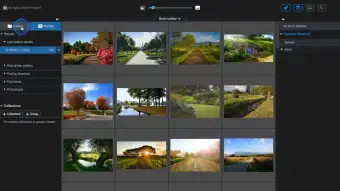
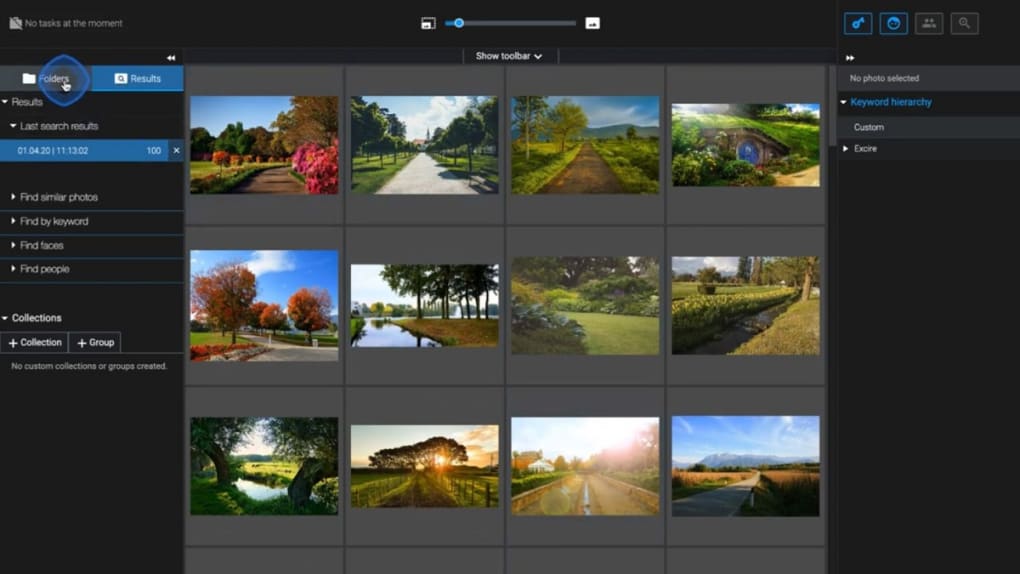
Excire Foto Light is a free‑to‑download, AI‑driven photo management application created by the Pattern Recognition Company (PRC), a German‑based AI specialist. Designed for hobbyists and professionals alike, the software helps you tame massive image libraries without the headache of manual tagging. After a quick installation, you can add pictures by clicking + Add → Browse, select a folder, and press Start. Within seconds, the program scans the folder, extracts visual cues, and presents every photo on a clean, scrollable canvas. From there you can create Groups (high‑level themes) and Collections (sub‑folders), attach or remove keywords, and leverage powerful facial‑recognition filters. While the free Light version supplies most core functionalities, advanced capabilities such as PSD support, metadata saving, and direct export are reserved for the paid Excire Foto 2022 edition. Nevertheless, Excire Foto Light offers enough intelligence to make everyday photo organization feel effortless, especially if you enjoy a blend of automation and hands‑on curation.
Key Features and AI‑Driven Capabilities
- Automatic Keyword Generation: The AI analyses visual content and assigns relevant tags (e.g., “beach,” “mountain,” “portrait”). These tags serve as the first line of searchable metadata.
- Find Faces & People: A dedicated facial‑recognition engine detects the number of faces, estimates age groups, and groups images by individual, enabling quick retrieval of family photos or event shots.
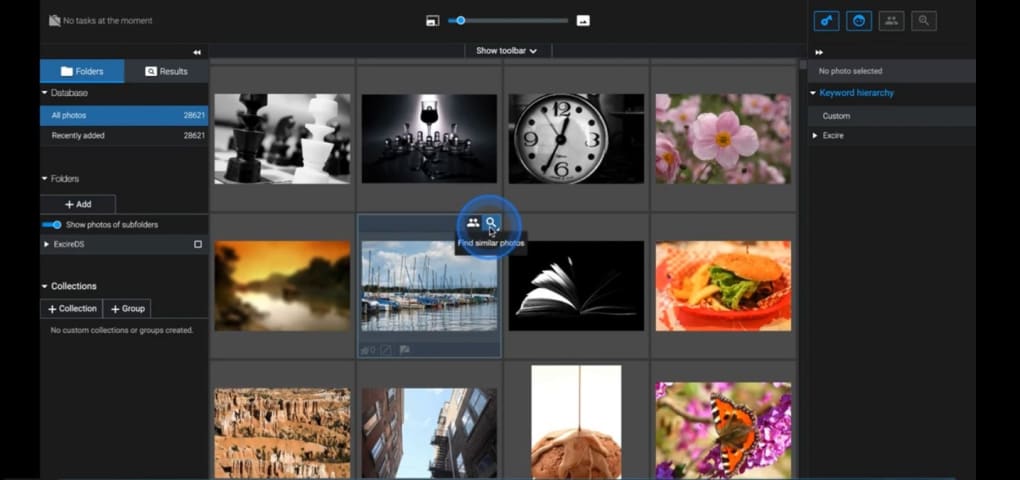
- Find Similar Photos: Using deep‑learning similarity matching, the app surfaces visually alike pictures, perfect for spotting duplicates or building thematic collections.
- Group & Collection Hierarchy: Organize at two levels – Groups act as main folders (e.g., “Travel 2023”), while Collections hold specific sub‑sets (e.g., “Paris Nightscapes”).
- Metadata Filters: Access camera settings (F‑Number, Exposure Time, Focal Length) and location data (City, Country) via a simple drop‑down beside the Metadata button.
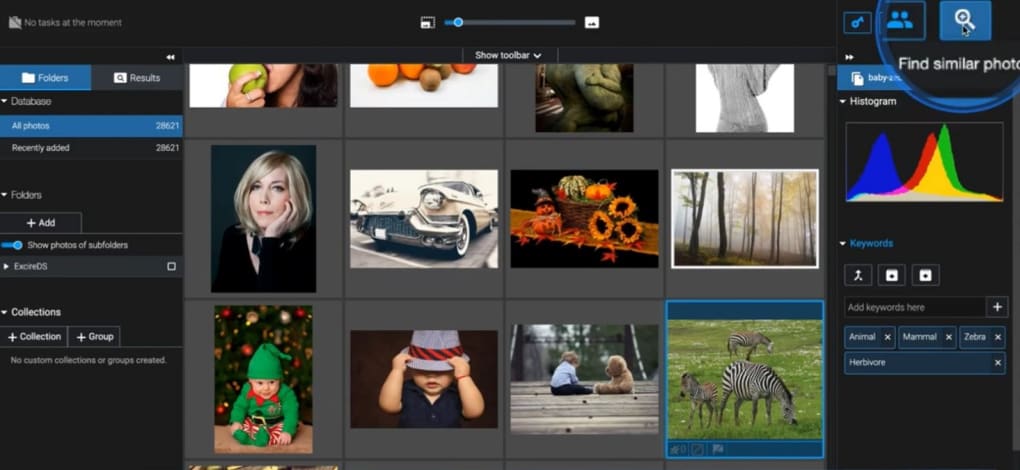
- Manual Keyword Editing: AI isn’t perfect; you can delete mis‑assigned tags (like a cartoon animal labeled “architecture”) and add custom keywords for precise searching.
The AI engine behind Excire Foto Light is built on convolutional neural networks that have been trained on millions of images. This gives the software a surprisingly nuanced understanding of scene composition, lighting conditions, and object categories. For example, the program can differentiate between “sunrise” and “sunset” based on color temperature, or recognize “street art” versus “graffiti” by analyzing line density and palette. While occasional mis‑classifications occur—especially with stylized or abstract images—the ability to edit tags ensures you stay in control.
Another standout feature is the Find Faces filter. By clicking the face icon, you can quickly isolate photos that contain a single person, a group of friends, or even a specific age range. This is invaluable for families trying to locate all pictures of a particular child across years of holiday snapshots. The system also offers a “Find People” view that clusters images of the same individual, even if the lighting or angle varies dramatically. Though the free version does not allow you to export these groups directly, you can still bulk‑select and move them into custom Collections for later use.
While Excire Foto Light lacks built‑in cloud syncing, it integrates smoothly with external storage services when you upgrade to Excire Foto 2022. In the free tier, you can still copy files manually to Google Drive or Dropbox after organizing them within the app, preserving the structure you built with Groups and Collections. Overall, the feature set delivers a compelling mix of automation, visual intelligence, and user‑driven refinement that makes it a strong contender among free photo managers.
Installation, Usage Instructions & Compatibility
Step‑by‑Step Installation
1. Download the Installer: Visit the official Excire website and click the “Download Excire Foto Light” button. The file is a small .exe for Windows or a .dmg for macOS. The download size is under 120 MB, making it quick even on slower connections.
2. Run the Installer: Double‑click the downloaded file. Windows users will see a standard setup wizard; macOS users will drag the app to the Applications folder.
3. Accept the License: The EULA is concise, focusing on data privacy—your photos never leave your device unless you choose to export them.
4. Finish Installation: Click “Finish” and launch Excire Foto Light from the desktop shortcut or the Applications folder.
First‑Run Configuration
Upon first launch, the app prompts you to set a default photo folder. Choose a directory that contains your primary image library (e.g., C:\Users\YourName\Pictures or ~/Pictures). The program will automatically scan sub‑folders, generate thumbnails, and begin AI analysis in the background. You can monitor progress via the bottom status bar, which displays “Scanning” and “Tagging” percentages.
How to Organize Photos
Adding New Images: Click the + Add button, select “Browse,” and navigate to the folder you want to import. After pressing Start, the UI populates with all discovered files. You can then drag and drop images into existing Groups or create new ones by right‑clicking the blank area and choosing “New Group.”
Editing Keywords: Select an image, open the “Keywords” pane on the right, and click the trash icon to delete an inaccurate tag. Use the “Add Keyword” field to type custom descriptors; the AI will suggest related terms as you type.
Using Face Filters: Click the face icon in the toolbar, then choose “All Faces,” “Single Face,” or specify an age range. The view instantly refreshes to show only matching pictures.
Metadata Filters: Click the tiny down‑arrow next to “Metadata.” From the drop‑down, select filters such as “Camera Model,” “F Number,” or “Photo Country.” Combine multiple filters for granular searches (e.g., all 50 mm lens shots taken in Japan).
System Requirements (itemprop="operatingSystem")
Excire Foto Light runs on modern desktop operating systems:
- Windows 10 (64‑bit) or newer – requires .NET Framework 4.7 or later.
- macOS 10.15 Catalina or newer – built with Apple’s Metal graphics API for smooth thumbnail rendering.
The application needs at least 4 GB of RAM (8 GB recommended) and a GPU that supports OpenGL 3.3 or higher for optimal performance. No internet connection is required for local analysis, but a brief online check occurs at first launch to verify the license and download the latest AI model updates.
Pros, Cons, and Frequently Asked Questions
Pros & Cons
- Pros:
- Completely free for personal use.
- AI automatically generates useful keywords, saving hours of manual tagging.
- Powerful facial‑recognition filters for quick person‑based searches.
- Intuitive Group & Collection hierarchy makes large libraries navigable.
- Low system footprint; runs smoothly on modest hardware.
- Cons:
- Advanced features like PSD support, metadata saving, and direct export require the paid Excire Foto 2022.
- Occasional mis‑tagging of abstract or cartoon images.
- No built‑in cloud sync; sharing must be done manually or via the paid version.
- Only Windows and macOS support; no native Linux, Android, or iOS apps.
FAQ
Is Excire Foto Light truly free, or does it have hidden costs?
Excire Foto Light is completely free for personal, non‑commercial use. All core features—including automatic keywording, facial recognition, and basic grouping—are available without any subscription. Premium functionalities such as PSD handling, metadata export, and cloud sharing are locked behind the paid Excire Foto 2022, but they are optional.
Can I use Excire Foto Light on a laptop with limited RAM?
The minimum requirement is 4 GB of RAM, but for smoother performance—especially when processing large folders with thousands of images—8 GB or more is recommended. The application’s AI model is optimized to run on modest hardware, so it should work on most modern laptops.
How accurate is the automatic keyword generation?
The AI is trained on a massive dataset and generally provides accurate tags for real‑world photos (e.g., landscapes, portraits, cityscapes). However, it may misclassify stylized images, cartoons, or very niche subjects. The program lets you edit or delete any tag, so you can fine‑tune the metadata to suit your needs.
Does Excire Foto Light store my photos in the cloud?
No. All analysis and data are performed locally on your device. The software does not upload images to external servers unless you manually choose to export them. This ensures privacy and compliance with personal data regulations.
Can I import photos from external drives or SD cards?
Yes. The + Add dialog lets you browse any connected storage device, including external USB drives, network shares, or SD cards. After selecting a folder, Excire Foto Light will scan and index the images just like it does with internal drives.
Conclusion & Call to Action
In a world where billions of photos sit idle in unsorted folders, Excire Foto Light offers a refreshing blend of AI automation and manual control. Its free‑to‑use model provides powerful keyword generation, face detection, and similarity searches without forcing you into a subscription. While the lack of built‑in cloud sharing and the occasional mis‑tagging may require a bit of manual cleanup, the overall experience is far smoother than traditional folder‑by‑folder organization. If you’re overwhelmed by the sheer volume of your snapshots, downloading Excire Foto Light is a sensible first step toward a cleaner, searchable library. Remember, you can always upgrade to Excire Foto 2022 later if you need advanced export or cloud integration.
Ready to declutter your photo collection? Download Excire Foto Light now and let the AI do the heavy lifting—while you keep the final say on keywords, groups, and collections.
Overall Rating: 4 out of 5 stars
Guides & Tutorials for Excire Foto Light
How to install Excire Foto Light
- Click the Preview / Download button above.
- Once redirected, accept the terms and click Install.
- Wait for the Excire Foto Light download to finish on your device.
How to use Excire Foto Light
This software is primarily used for its core features described above. Open the app after installation to explore its capabilities.
User Reviews for Excire Foto Light 0
No reviews found




.webp)